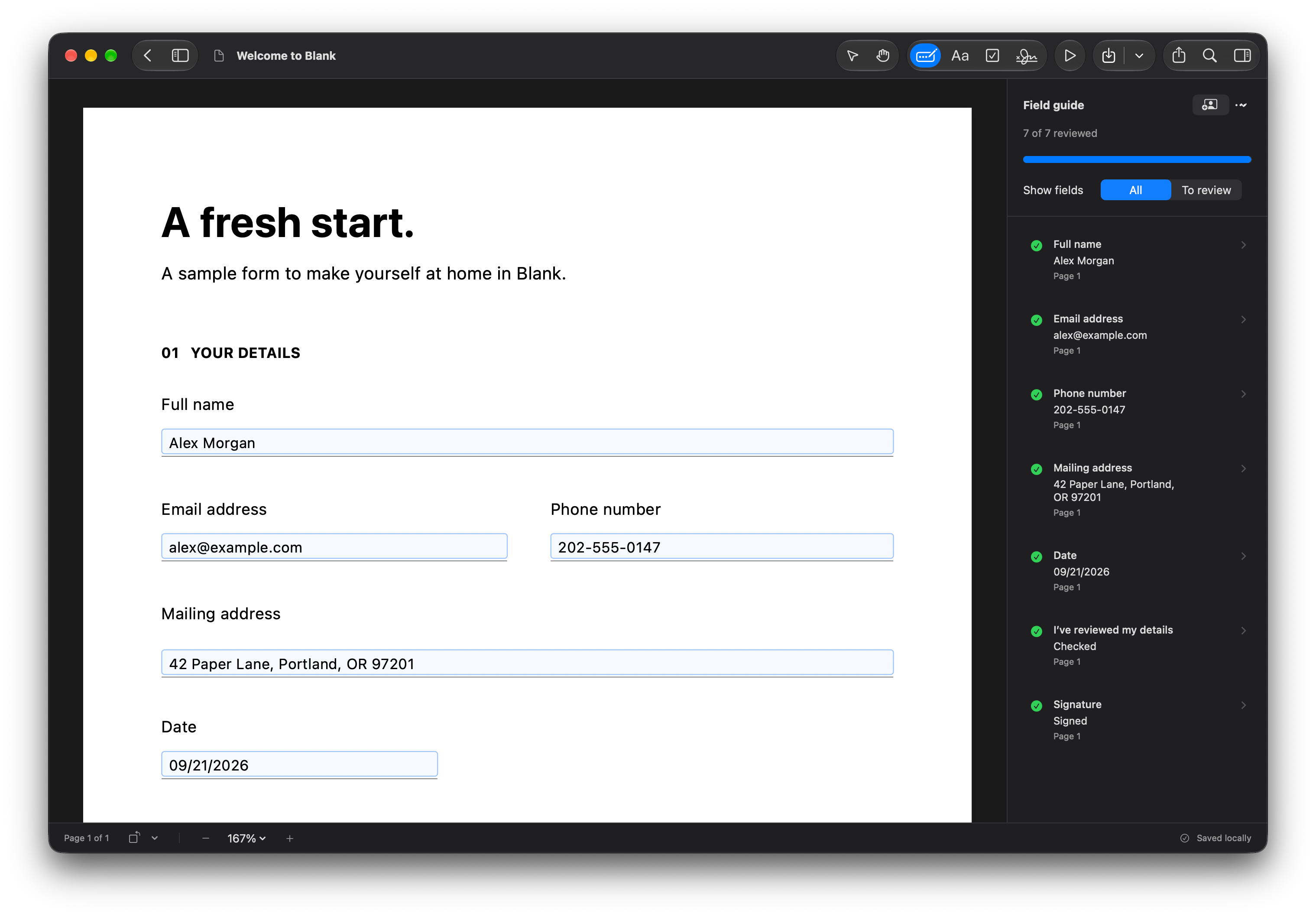
Fill existing fields
Click a field and type. Move through the form with Tab, choose dates, and check boxes without printing a page.
Made for macOS 26 and later
Fill in the details. Sign. Get on with your day.
Blank helps you fill and sign PDF forms, including scans.
Keep your documents on your Mac and save a copy ready to send.
Three documents freeNo watermarkNo card required
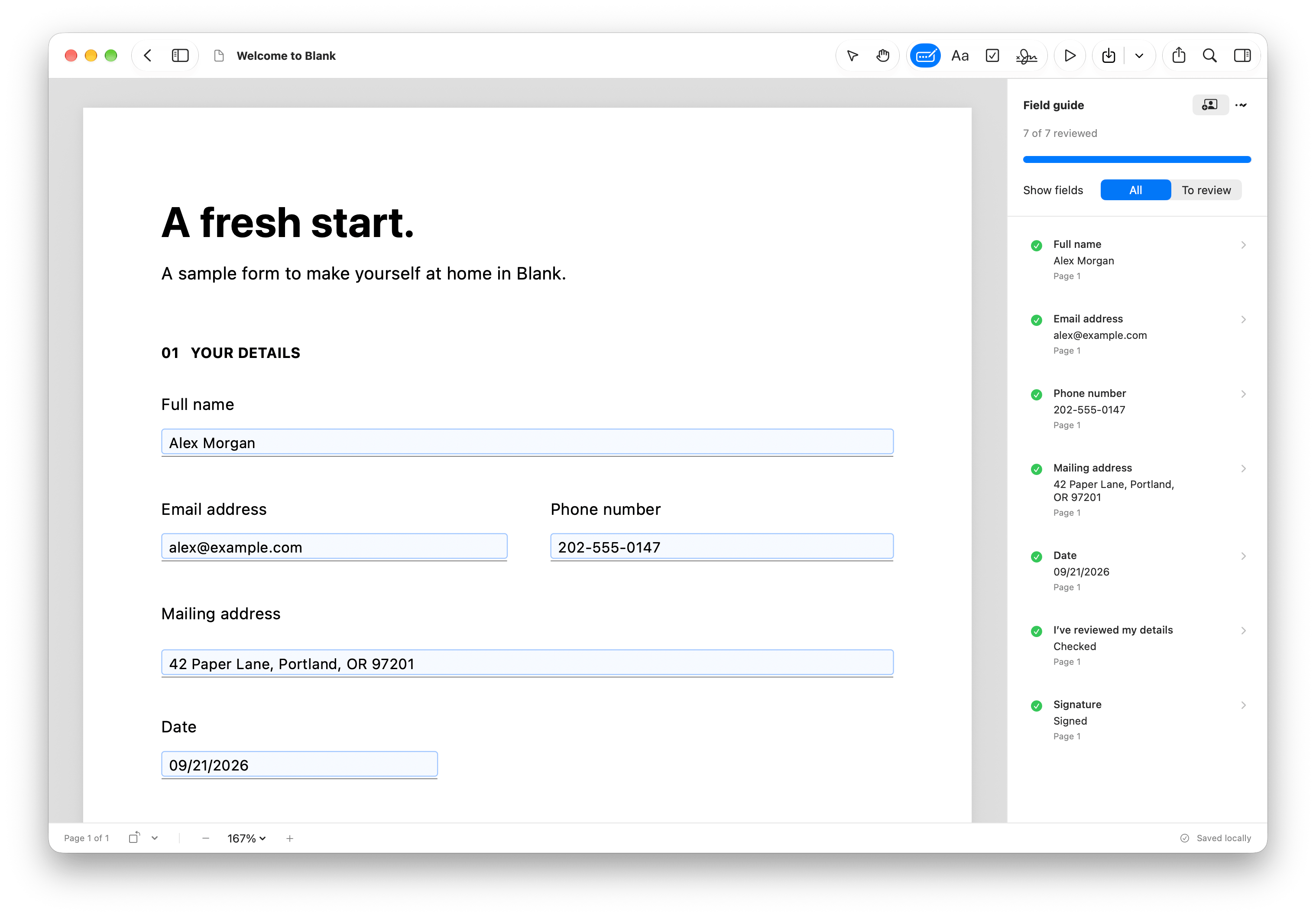
Your form on the left. A guide through the fields on the right.
Meet your next finished formMade for the forms you receive
Start with the PDF you have. Blank gives you a way to fill it.
Click a field and type. Move through the form with Tab, choose dates, and check boxes without printing a page.
On-device recognition suggests likely fields in scanned and flat PDFs. Review, correct, or dismiss each suggestion as you go.
No field to click? Place text or a checkmark yourself, then move or resize it to fit the space on the form.
Field detection works best with English labels and straight printed lines or boxes. See supported form types.
From open to sent
Open a form in Blank. Existing fields are ready to fill, and likely blanks appear as suggestions.
Enter your answers or review matches from your saved profile. Add your signature and check the finished form.
Save an editable or flattened PDF to send. Your original stays untouched and your draft stays in Blank.
Fill once. Use again.
Save your name, address, and other details in a local profile. Blank shows matching fields for you to review before filling them.
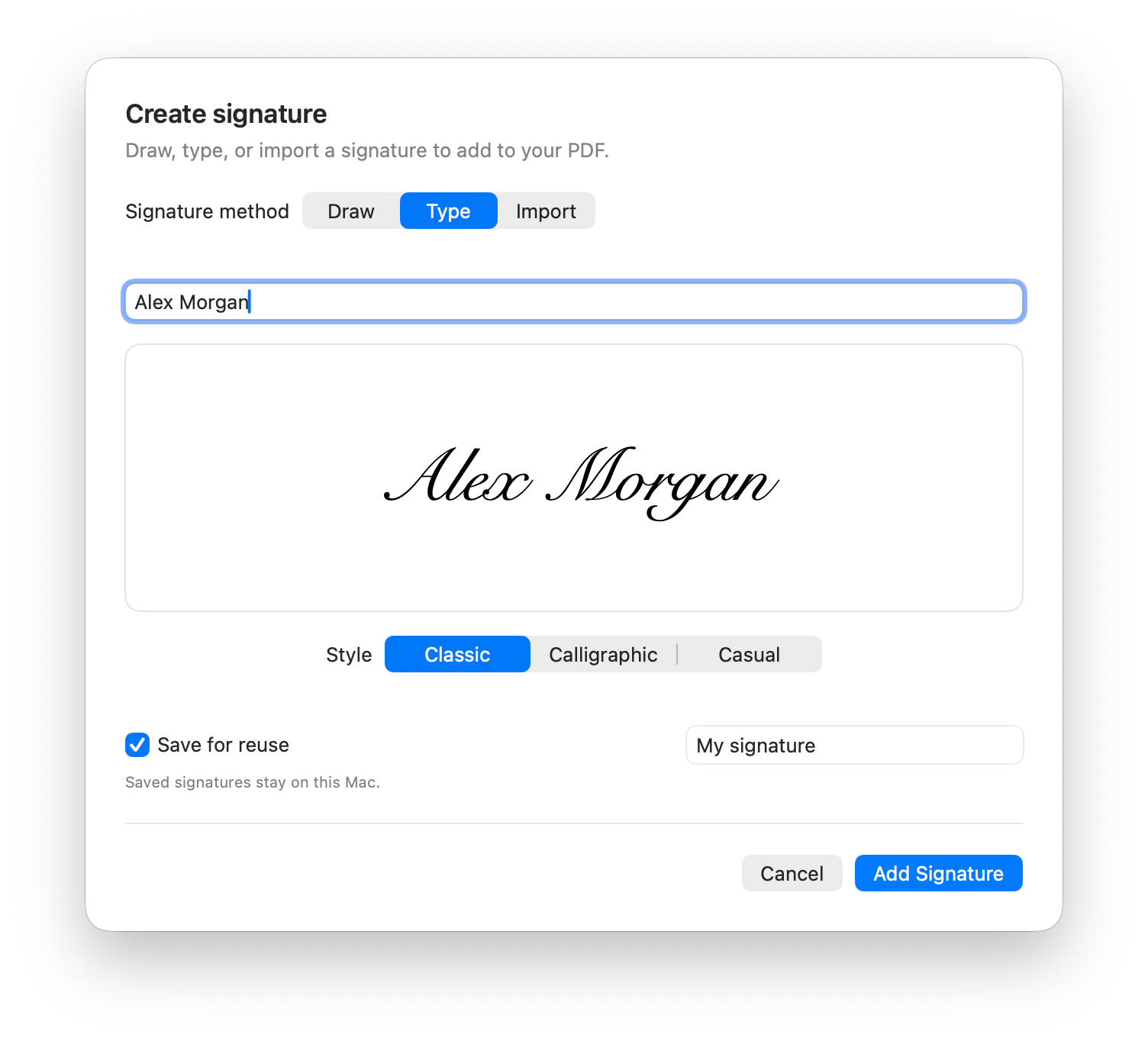
Draw or type a signature, or import an image and crop it. Save it for reuse, then place it on your next PDF.
Visual signatures, stored on your Mac. No certificate signing.
Fill forms without uploading them to an online PDF tool. Document processing, field recognition, drafts, your profile, and saved signatures stay local. There’s no Blank account to create.
The trial works locally. Paid use requires online activation and a successful license check at least every 30 days to keep working offline.
Read how Blank handles your dataA focused Mac app
Choose the workflow that fits your forms.
Your Mac’s Preview app can fill PDF fields, add text boxes, autofill contact information, and add signatures. If that works for your forms, you can keep using it.
How to fill out a PDF form on MacThe full Blank experience
Try every feature on three documents.
No watermark. No payment card.
For macOS 26 and later
Blank Pro
Limited offer50% off
$39.99Regular price $79.99USD once
Before applicable taxes. Your final total is shown at checkout.
Get Blank Pro — $39.99No subscription. No Blank account.
After your three free documents, keep editing drafts and re-exporting the documents you’ve already completed.
Yes. Blank looks for likely fields in flat and scanned PDFs, and lets you add text and checkmarks manually. Detection works best with English labels and straight printed lines or boxes. Review the suggestions and adjust anything it misses.
Yes. Blank is a standalone Mac app for filling forms and adding visual signatures. You don’t need an Adobe account or subscription to use it. Blank’s signatures are drawn, typed, or imported images; they are not certificate-based digital signatures.
You can try every feature on three documents free, with no watermark or payment card. A document counts on its first successful PDF export. You can keep editing and re-exporting those saved documents. Blank Pro unlocks exports for additional documents with a one-time purchase.
The free trial works locally. Paid use needs an internet connection to activate, then works offline for up to 30 days after a successful license check. Your PDF contents, saved details, and signatures stay on your Mac; license checks contact Dodo Payments.
Choose an editable export to keep standard form fields editable, or a flattened export to make your entries part of the page. Blank saves a separate PDF and keeps your original untouched. Your saved draft remains available in Blank either way.
No. XFA forms, certificate-signed PDFs, and PDFs that restrict editing open read-only. Blank does not run embedded scripts, automatic calculations, or validation. If a form requires those features, use the application its issuer recommends. Try your own form before purchasing.
Download Blank and finish your next PDF on your Mac.
Three documents freeNo watermarkNo card required