A small Mac app for the paperwork of life

Fill in the blanks.

Fill PDF forms, add your signature, and get on with your day.
All on your Mac.

Download available soon · macOS 26+

Your forms.
Your handwriting.
Your Mac.
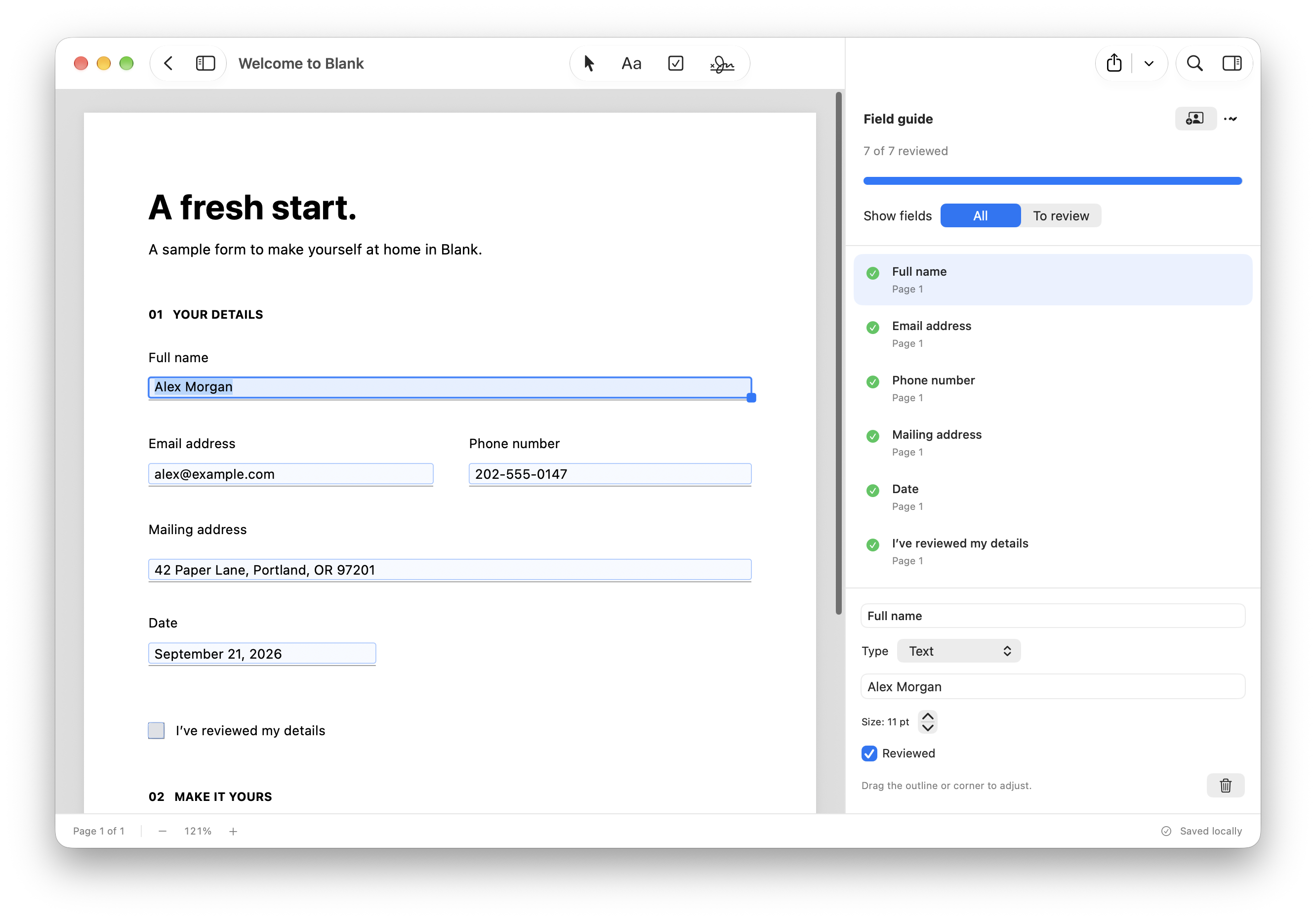
Blank’s native Mac editor showing a zoomed sample form filled with fictional details and the field guide with seven reviewed fields.

Made for Mac

Local by design

No account needed

Less paperwork starts here

Life has enough admin.
Keep this part simple.

The permission slip. The application. That one form.
A quiet place to take care of them.

01 / FILL IT IN

A blank space.
A place to start.

Open a PDF and get straight to the details. Blank finds likely fields and gives you a guide to work through, one answer at a time.

Add text or a checkmark anywhere the form needs a little extra help.

Existing form fields and on-device scan detection.
Blank’s native Mac editor showing a zoomed sample form filled with fictional details and the field guide with seven reviewed fields.
A little guidance, from the first field to the last.
02 / MAKE YOUR MARK

Yours.
Down to the signature.

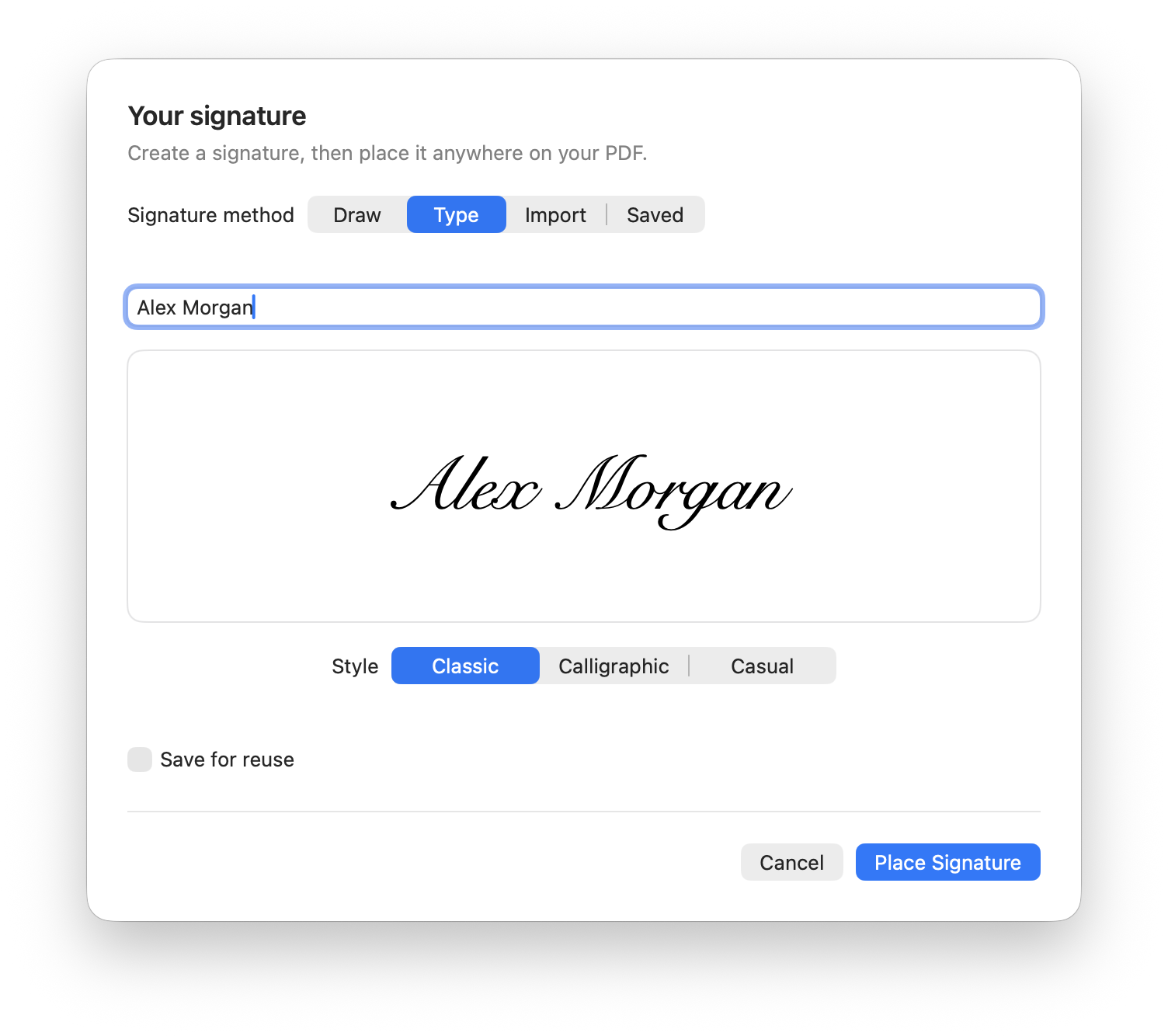
Draw it, type it, or bring your own. Add your signature to the page, adjust it until it feels right, and you’re done.

Keep a signature on your Mac to use next time. Or make a new one, just for this.

No printer. No scanner. No round trip.
Blank’s native signature sheet previewing the fictional name Alex Morgan as a typed signature, with options to draw or import one.
A familiar finishing touch.
03 / PICK UP WHERE YOU LEFT OFF

A home for
the unfinished.

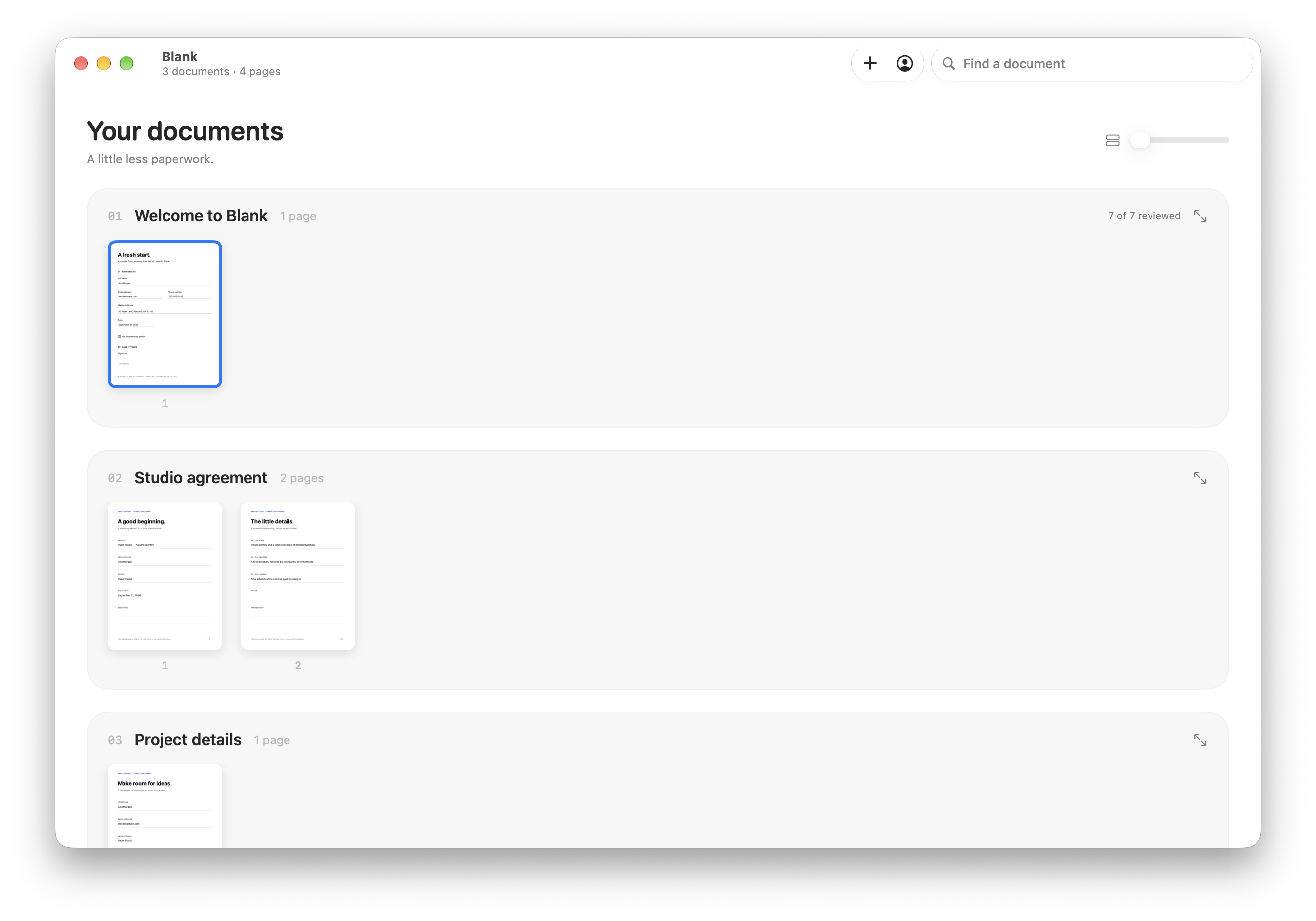
Some forms take a little longer. Keep your documents together and come back when you’re ready. Your draft saves as you go.

When the last blank is filled, export a fresh PDF. Your original stays just as you found it.

Organized on your Mac. Ready when you are.
Blank’s document overview with sample PDFs and locally saved drafts.
Your work, right where you left it.

What’s on your Mac
stays on your Mac.

Forms hold the details of your life. Blank processes them
locally, with no account and no cloud detour.

01

A local workspace

Your documents, drafts, and saved signatures live in Blank’s storage on your Mac.

02

Your original, preserved

Edit a draft with confidence. The PDF you started with remains untouched.

03

The right kind of finished

Export editable fields, or flatten your entries into the page. Both give you a separate copy.

Before you
fill it in.

Small app. Straight answers.

Blank app icon

Paperwork, done.

A little less admin. A little more day.

Download available soon · macOS 26+